Phone skins
Winter Landscape Starry Sky Smartphone Skin | Customization
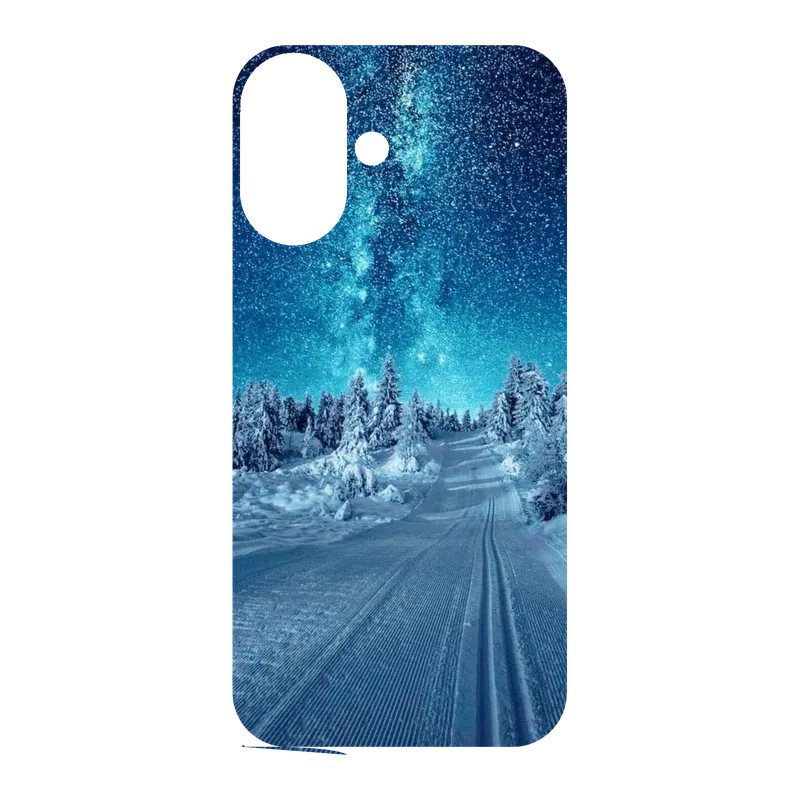
Customize the back of your smartphone with this printed skin featuring a winter night landscape. Select your phone model before ordering: the phone is not included. This die-cut decal depicts a snowy road lined with coniferous trees under a starry sky, with the Milky Way visible. The cold and peaceful atmosphere is captured with blue and white tones, featuring tire tracks in the snow, all in a realistic style.
9.90 EUR
In stock Printed skinReady-to-apply design
The skin will be printed and cut precisely for this model.
📦 Estimated delivery between Friday 20 November and Tuesday 24 November
Customize the back of your smartphone with this printed skin featuring a winter night landscape. Select your phone model before ordering: the phone is not included. This die-cut decal depicts a snowy road lined with coniferous trees under a starry sky, with the Milky Way visible. The cold and peaceful atmosphere is captured with blue and white tones, featuring tire tracks in the snow, all in a realistic style.
How do you apply your skin?
- Step 1: turn off your phone, clean its back and remove dust.
- Step 2: peel back only the top 2 to 3 cm of the backing.
- Step 3: align the skin with the camera module and top edges.
- Step 4: remove the backing gradually and smooth air out from the center.
- Step 5: gently warm the edges and corners, then press them down.